
A closer look at Cengal
Firestore workflows,
made visible.
Know what you are viewing, what you are changing, and what happens next. Explore the Mac workspace from the first collection to a reviewed write.
Core browsing and editing are Free. Pro adds tools such as saved queries, selected-row bulk operations and local History.
Try sample data in the Mac appFind the document. Keep the context.
Before you edit a field, you need to know which document—and which workspace—you are looking at.
Scan a collection as rows, filter the documents already loaded, then inspect the selected document in Fields or typed JSON. The workspace and document path stay visible as you move.
- A table for scanning; an inspector for the details.
- Firestore types stay explicit in the JSON representation.
- Browse, query, edit individual documents and export on Free.
The text filter searches loaded rows. Use a Firestore query when you need the server to select matching documents.
Explore collection browsing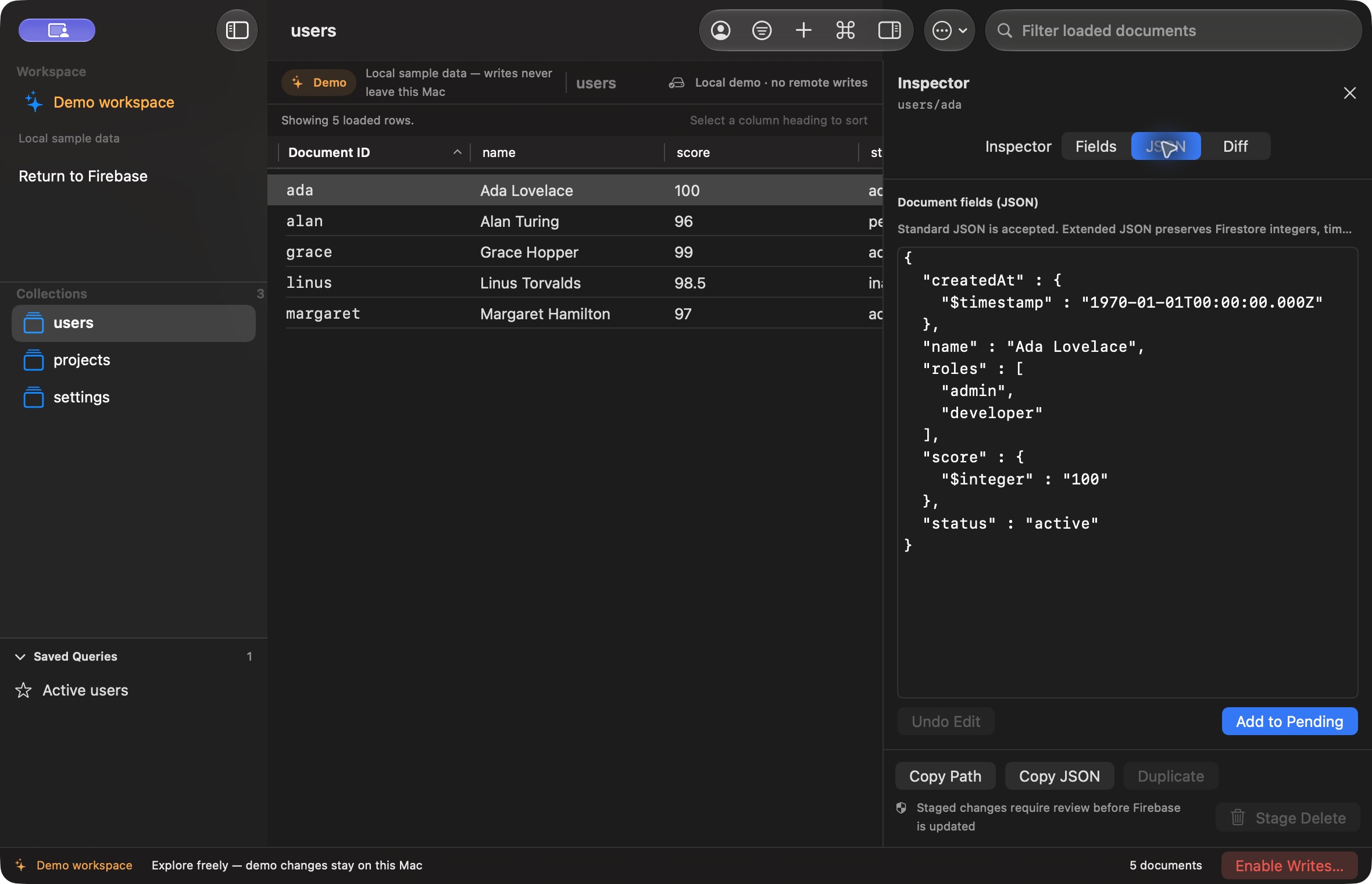
Make the query explicit.
An unexpected result is easier to investigate when the filters, ordering and limit are visible together.
Build a read-only query for the selected collection. Add conditions, choose ordering and set a limit, then review the query before running it against the selected project and database.
- Build and run queries on Free.
- Keep query results tied to the selected workspace.
- Save reusable queries and copy generated query code with Pro.
Firestore query rules and index requirements still apply. Ordering by a field can exclude documents where that field is missing.
Read the query guideSee the edit before it is sent.
A small JSON edit can change more than the field you meant to touch.
Stage an individual document edit, open Pending changes and inspect its path and field-level before/after diff. Discard it or deliberately apply it; staging alone does not send the write.
- Individual document editing and staged review are Free.
- Inspect changed values before applying.
- Selected-row bulk updates and deletes are Pro.
Review is a decision point, not a backup. Applied writes change your Firestore data and still require the appropriate Google permissions.
See the editing workflowKeep a stale edit from becoming an overwrite.
Another client can change a document after you load it and before you apply your edit.
Build 7 sends updates and deletes with the exact recorded document version. If that version is stale or unavailable, the guarded write is rejected instead of silently overwriting a newer document.
- Version checks apply to Free and Pro document writes.
- Conflicted changes stay pending and require a fresh review.
- Explicit-ID creates reject an already occupied document path.
This is per-document protection, not automatic merging or an all-or-nothing batch. Some documents can succeed while others fail. After an uncertain network result, refresh and inspect the document before staging another write.
Understand write protectionReview past changes. Stage a guarded revert.
When you need to revisit an applied operation, its outcome and saved values should be easy to inspect.
Open local operation History to see Cengal’s applied writes and failures on this Mac. Inspect saved before/after snapshots, then stage the inverse of an eligible successful operation in Pending changes.
- Pro unlocks the History screen and its revert controls.
- A revert is staged for review; it does not write immediately.
- The original workspace and recorded account must match.
Updates and deletes require the recorded version; restoring a deletion requires a missing path. History is local, clearable and limited to 2,000 entries. It does not audit other tools or replace backups. Failed operations, missing snapshots or a failed history save can prevent a revert.
Compare Free and Pro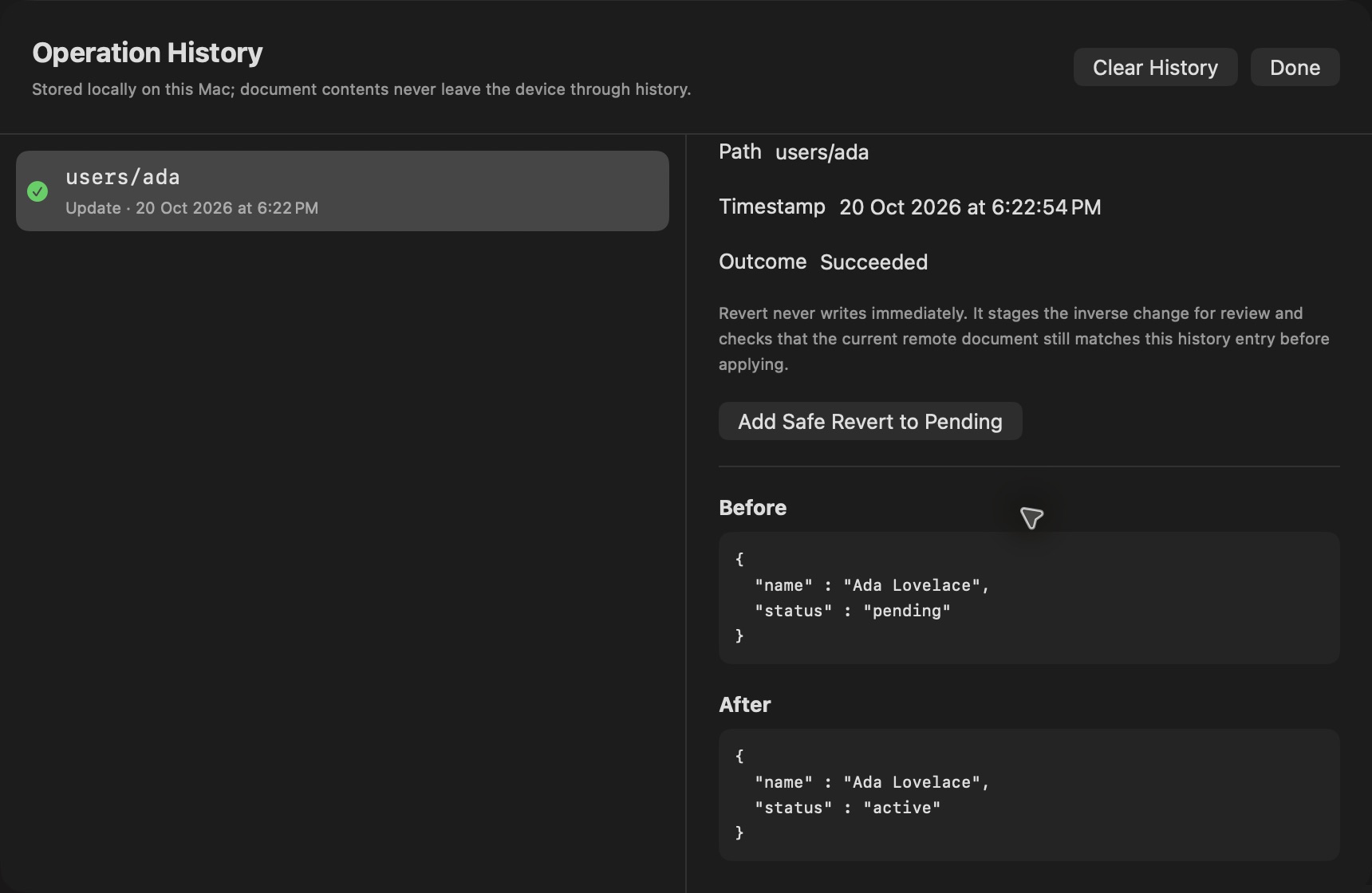
Start with local sample data
Try the workflow on your Mac.
Download and open Cengal, then choose “Explore sample data”. No account or Firebase project is needed for the local demo. Product images on this page are static previews.
For the next task, follow the typed JSON editing workflow, review selected-document bulk changes, or learn the scope of type-preserving JSON export.