
Originally published by Cengal on Hashnode. Reproduced here for the Cengal article collection; the original remains canonical.
An empty query result and a failed query are different problems. Before changing indexes, permissions, or data, establish which one you have.
This checklist covers Firestore’s Core query API, with examples verified in a local Standard-edition emulator. It does not cover MongoDB-compatible queries or Firestore Pipeline operations.
Disclosure: This article was prepared for Cengal, a native Mac workspace for Firestore. AI assistance was used in drafting and automated verification. The sample cases were executed against synthetic emulator data, not a customer database or a live Cengal session.
1. Keep errors separate from empty results
Avoid turning every exception into an empty array:
try {
  const snapshot = await query.get();
  console.log({ empty: snapshot.empty, size: snapshot.size });
} catch (error) {
  console.error(error.code, error.message);
  throw error;
}
This example uses the Node.js server SDK. Adapt the syntax to your client SDK rather than mixing APIs.
A permissions error is not evidence that no matching documents exist. Likewise, an index error should remain visible. Diagnose the actual error before rewriting the query.
For mobile and web clients, Security Rules are not a post-query filter. A query that could return unauthorized documents can be rejected as a whole. Do not make the database public to investigate an empty screen. See Firebase’s secure-query guidance.
2. Establish the exact target
Write down:
- Project ID and database ID.
- Emulator versus deployed database.
- Full collection path, including parent document IDs.
- Collection query versus collection-group query.
- The identity and SDK used for the read.
A query against orders does not search every nested collection named orders. A different database or environment can also contain a perfectly valid—but empty—collection.
Use a bounded baseline read on the intended collection. If that returns nothing, investigate the target before adding filters. Avoid downloading an entire production collection just to debug a predicate.
3. Use a tiny fixture to test assumptions
Here is the complete synthetic dataset used for the checks below:
const rows = {
  a: {
    status: "active",
    score: 10,
    tags: ["red"],
    optional: null
  },
  b: {
    status: "active",
    score: "10",
    tags: ["blue"]
  },
  c: {
    status: "Active",
    score: 20,
    tags: "red"
  },
  d: {
    status: "archived",
    score: 30,
    tags: ["red"],
    optional: "present"
  }
};
Each key is a document ID in a collection called queryChecklist. Notice the intentional inconsistencies: capitalization, a numeric string, a scalar where other documents have arrays, and missing fields.
With a Node server-SDK collection reference named c, these were the observed results:
| Query | Matching document IDs |
|---|---|
c.get() |
a, b, c, d |
c.where("status", "==", "active") |
a, b |
c.where("status", "==", "ACTIVE") |
none |
c.where("score", "==", 10) |
a |
c.where("score", "==", "10") |
b |
c.where("status", "==", "active").where("status", "==", "archived") |
none |
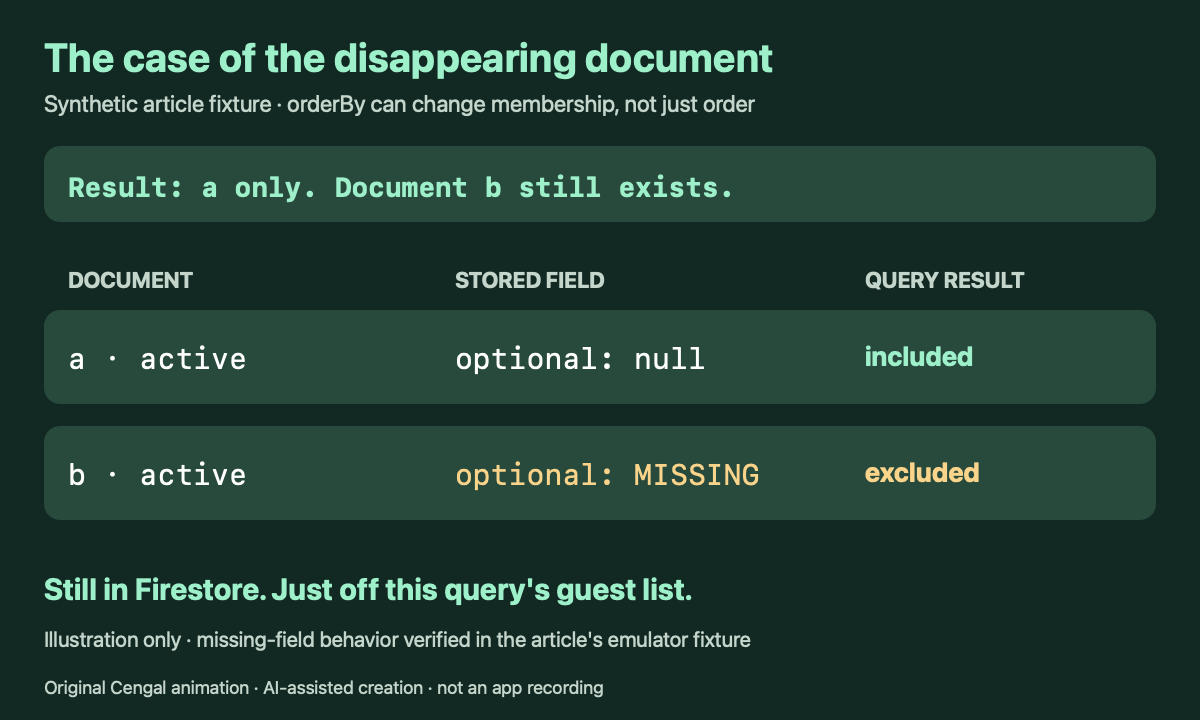
c.where("status", "==", "active").orderBy("optional") |
a |
c.where("tags", "array-contains", "red") |
a, d |
c.where("tags", "==", "red") |
c |
c.where("optional", "==", null) |
a |
c.where("optional", "not-in", ["absent"]) |
d |
c.where("optional", "not-in", [null, "absent"]) |
none |
c.orderBy("score").startAfter("zzz") |
none |
Call .get() on each query to execute it. Result IDs in the table are sorted for comparison; the table is not promising a particular query result order.
The tests used Firestore emulator 1.22.0 in Standard edition with @google-cloud/firestore 7.11.6. These are query-semantics checks—not production index, authorization, billing, or application-UI tests. Server SDK access also does not reproduce mobile/web Security Rules behavior.
4. Add constraints one at a time
Start with the baseline. Then restore one filter, run it, and record the result before restoring the next.
The conflicting-status example is deliberately simple: both predicates can work separately, but no document can have both scalar values at once.
Check the actual stored value and type. In this fixture, 10 and "10" produce different matches. So do "active" and "ACTIVE". A UI rendering both values similarly does not make them interchangeable.
For arrays, distinguish “the field contains this element” from “the whole field equals this value.” Our tags examples return different documents for precisely that reason.
Firebase documents the relevant operators in its query reference.
5. Remove ordering while diagnosing missing documents
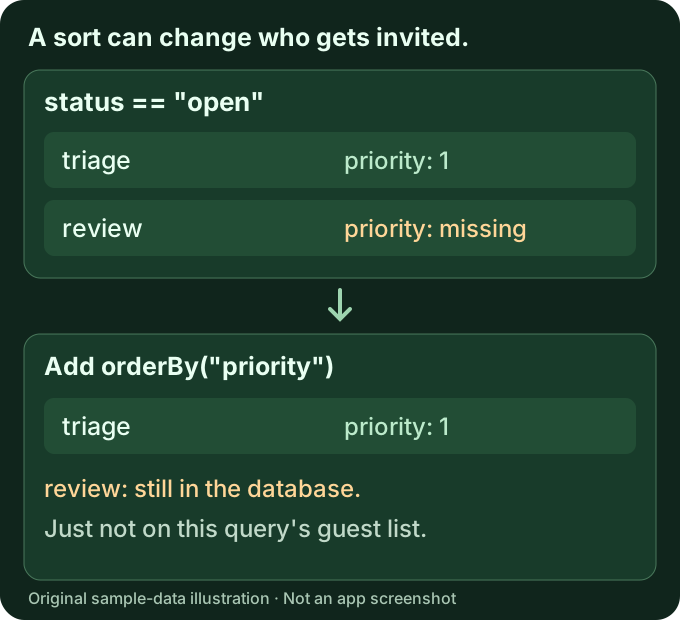
The active-status filter returns a and b. Adding orderBy("optional") leaves only a, because b has no optional field.
Sorting can therefore change which documents qualify—not merely their display order. Firebase explicitly documents that ordering excludes documents missing the ordered field in order and limit data.
Do not immediately backfill a production field. First confirm whether the field is genuinely required by your data model and query.
6. Treat missing fields and null as different states
Document a has optional: null. Documents b and c have no optional field.
In this fixture, equality with null returns only a. The negative-membership query does not act as “everything except this value, including missing fields.” Adding null to the not-in comparison list produces no matches.
Inspect a representative document rather than guessing how absent values are represented.
7. Reset pagination before changing the data
A cursor can legitimately describe a page after the final result.
Remove the cursor and use a small, positive limit while checking the first page. Rebuild pagination state after changing filters or ordering. Confirm that cursor values correspond to the current ordering rather than a previous query.
The final fixture check intentionally places the cursor beyond the available ordered values. It returns an empty page even though the collection contains four documents.
A practical stopping point
Before changing anything, you should be able to answer:
- Did the request succeed?
- Is this the intended project, database, and collection?
- Does a bounded baseline read return documents?
- Which single constraint first removes the expected document?
- Are field types, missing values, ordering, and pagination consistent with that constraint?
That is a useful debugging result even before a fix: it turns “Firestore is empty” into a specific, reproducible explanation.
If you prefer inspecting documents visually, Cengal is one option for browsing and querying Firestore on Mac, requiring macOS 14 or later. The same checklist works with your SDK or Firebase console; no particular GUI is required.