
Examples use synthetic data. AI assistance was used in preparation; verification scope is stated below.
If you add a sort to a Firestore query and a document disappears, the first thing to check is surprisingly simple: does that document contain the field you’re sorting by?
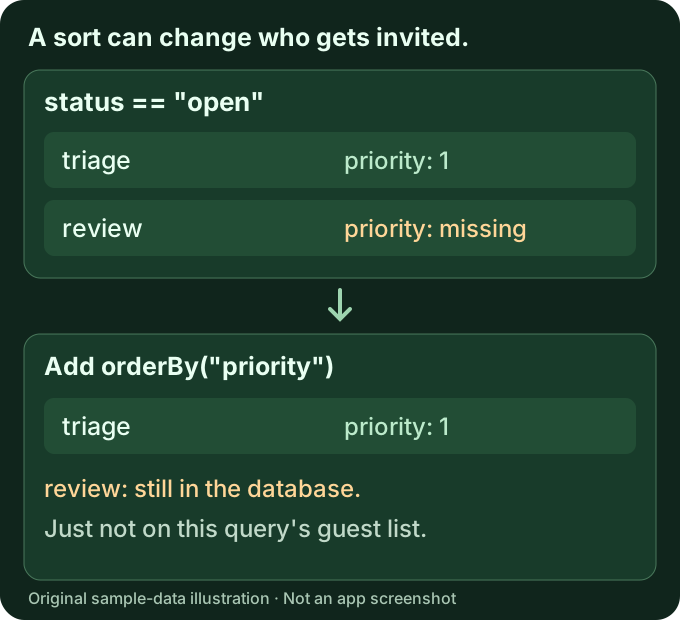
orderBy() doesn’t only arrange the results. It also excludes documents that don’t have the ordered field. Firebase calls this out in its ordering documentation, but it’s an easy detail to miss when the same collection looked fine a moment earlier.
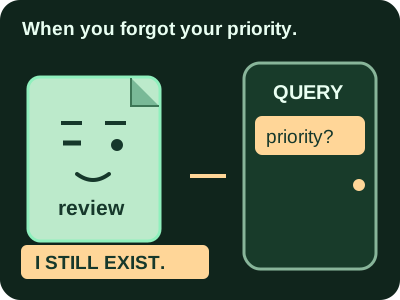
The document hasn’t necessarily been deleted. It may no longer qualify for that particular query.
A small example you can reason about
Imagine a task collection with these three synthetic documents:
| Document ID | status | priority |
|---|---|---|
triage |
"open" |
number 1 |
review |
"open" |
field missing |
archive |
"done" |
number 2 |
Start with an open-task query. This example uses the Node.js server SDK; don’t mix its syntax with the Web SDK’s modular API.
const tasks = db.collection("orderbyExampleTasks");
const openTasks = tasks.where("status", "==", "open");

const before = await openTasks.get();
console.log(before.docs.map(doc => doc.id).sort());
// ["review", "triage"]
Now add the sort:
const after = await openTasks.orderBy("priority").get();
console.log(after.docs.map(doc => doc.id));
// ["triage"]
review still has status: "open", but it has no priority field. Adding the sort excludes it. A larger limit won’t bring it back, because the missing field—not the page size—is the issue.
We ran these examples against synthetic data in the local Standard-edition Firestore emulator. The baseline returned all three IDs, the open-status query returned review and triage, and the ordered open-status query returned only triage, both with and without a limit of two. The runnable fixture and exact environment are recorded in our publishing evidence. This checks query behavior, not production index requirements, permissions, billing, or an application UI.
Check the document, not just the table
Remove the ordering temporarily and run a small, bounded read against the same project, database, and collection. If the document returns, inspect that record’s fields directly.
Look for an absent key, a slightly different field name, or a value written somewhere else in a nested map. A column displayed for other rows isn’t proof that every document has that field. And a blank table cell isn’t enough to tell you whether a field is missing, null, or simply not shown by that view.
Keep errors visible during this check. A successful query with one result is different from a permission or missing-index error. Don’t catch every exception and turn it into an empty array—that makes separate problems look alike.
Decide what the field means before filling it in
There are two reasonable questions to ask:
- Should every task have a priority? If so, check the writers that create tasks, then plan a reviewed correction for existing records.
- Is priority genuinely optional? If so, an ordered query over that field may not be the right way to fetch every open task.
Don’t assign a value to every production document just to make a screen look complete. A default priority changes the meaning of the data. Work out the intended behavior first, and test it with a small fixture.
If you change the query’s filters or ordering, reset its pagination too. A cursor from the previous query is another reason a page can look incomplete. Firebase’s cursor guidance explains how cursor values relate to the query’s ordering.
Where Cengal can help
If you’d rather inspect the records visually, Cengal can browse Firestore collections, show document fields and types, and build bounded queries on Mac. You can compare the result with and without the sort, then inspect the document that drops out. Core browsing and querying are available on Free; macOS 14 or later is required.
If the data needs an edit, Cengal lets you stage it and review the change before applying it. That doesn’t make a schema decision for you, fix Security Rules, create an index, or remove Firestore read costs. The useful part here is making the stored record and intended change easier to inspect.
For the related workflow, see Cengal queries and missing composite-index errors. The same diagnostic works in your SDK or Firebase Console; you don’t need a particular GUI to use it.