
Examples use synthetic data. AI assistance was used in preparation; verification scope is stated below.
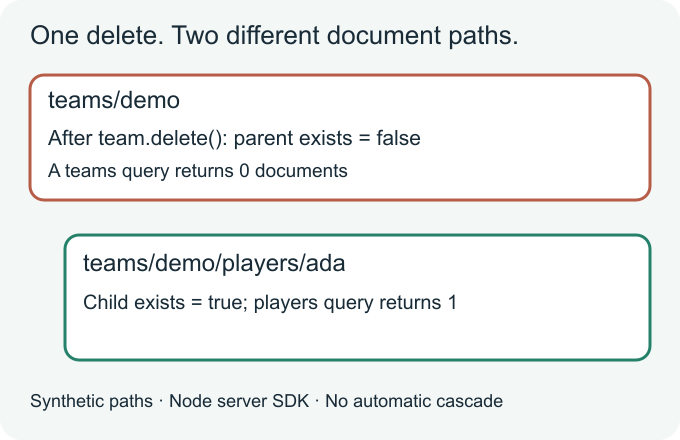
Deleting a parent document with the SDK does not mean deleting the tree below it. A missing parent and readable child documents can both be real at the same time.
Disclosure: This AI-assisted technical article was prepared for Cengal, a Firestore developer tool. All examples and original code-drawn illustrations use synthetic data. No Cengal account, subscription or paid product is needed to follow it.
A reported symptom, not a diagnosis of someone else’s system
On June 24, 2021, a developer reported on Stack Overflow that deleted team documents left player documents behind, while querying teams did not reveal those missing parents.
That report includes cleanup-function code and later errors. We have not reproduced that entire application or established its complete cause. The narrower behavior is documented by Firebase’s deletion guide: a document deletion does not cascade into its subcollections. An absent parent is not returned as a document in a normal parent-collection query.
This is worth checking before treating a remaining child as a failed delete or a stale UI.
Reproduce it with two disposable documents
Use the Node.js server SDK @google-cloud/firestore in a scratch project. Start a local Firestore emulator on 127.0.0.1:8080 with project ID demo-delete-example, following Firebase’s emulator connection guide. Set FIRESTORE_EMULATOR_HOST=127.0.0.1:8080 before running this CommonJS script.
const { Firestore } = require('@google-cloud/firestore');
if (process.env.FIRESTORE_EMULATOR_HOST !== '127.0.0.1:8080') {
  throw new Error('This example requires the local Firestore emulator');
}
const db = new Firestore({ projectId: 'demo-delete-example' });

async function run() {
  const team = db.doc('teams/demo');
  const player = team.collection('players').doc('ada');
  await team.set({ name: 'Demo team' });
  await player.set({ name: 'Ada' });

  await team.delete(); // deletes this document, not its descendants
  console.log((await team.get()).exists); // false
  console.log((await player.get()).exists); // true
  console.log((await db.collection('teams').get()).size); // 0
  console.log((await team.collection('players').get()).size); // 1

  await player.delete(); // clean up this one known synthetic child
  console.log((await player.get()).exists); // false
}
run().catch(error => {
  console.error(error);
  process.exitCode = 1;
}).finally(() => db.terminate());
The guard deliberately refuses a different or missing emulator endpoint. The demo- project ID is another boundary. Do not adapt this example by pointing it at a real team or account. If you choose another loopback port, change both the environment value and the guard.
Two paths, two outcomes
The parent teams/demo stores one document’s fields. The child teams/demo/players/ada is a separate document at another path. Removing the first does not remove the second. A reference to the child still identifies its path even when the parent document no longer exists.
The empty teams query therefore answers a narrow question: which existing team documents match? It is not an inventory of every descendant stored beneath team paths. Check a known child reference separately when investigating this symptom.
Choose the intended deletion boundary
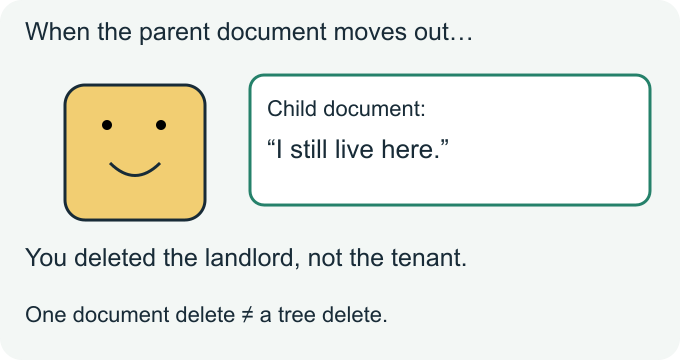
If you meant to delete only the parent record, surviving children may be expected. Decide whether the application should keep or expose them; do not infer the intended retention policy from the document hierarchy alone.
If you meant to remove a whole subtree, use a separately designed cleanup operation. Firebase’s recursive-deletion solution describes a trusted-server approach and warns about authorization, cost and incomplete work. Review that guidance rather than turning the tiny example above into a general recursive-deletion utility.
For a real cleanup, first inventory the exact project, database and paths. Restrict who can request it, coordinate other writers, choose recovery procedures, and make progress and failures visible. Reading and deleting a changing dataset is not automatically atomic: another writer can create children while cleanup runs. A successful parent delete alone proves nothing about completion of a larger cleanup.
What the local test actually proved
On October 22, 2026, nine assertions passed using Firestore emulator 1.22.0 and Node server SDK 7.11.6 on loopback with a demo- project. They checked both documents before deletion; the absent parent and retained child afterward; an empty parent query; the child query and collection-group result; explicit child cleanup; and a second parent delete leaving it absent.
This is a synthetic test of document/path semantics. It does not test production IAM, billing, client Security Rules, a recursive cleanup service, concurrent cleanup, or Cengal’s UI. Server SDK access does not validate mobile/web Security Rules. Different deletion tools can deliberately implement recursion, so check the exact operation you used rather than generalizing from its button label.
One question for your data model
When a parent record is removed, which child records should survive—and where is that retention decision enforced?